 GoQRM
GST quotations and invoices, straight from your leads
Turn an exhibition inquiry into a GST quotation in minutes, then into an order, an invoice and a receipt – with a UPI QR so your customer can pay by scanning.
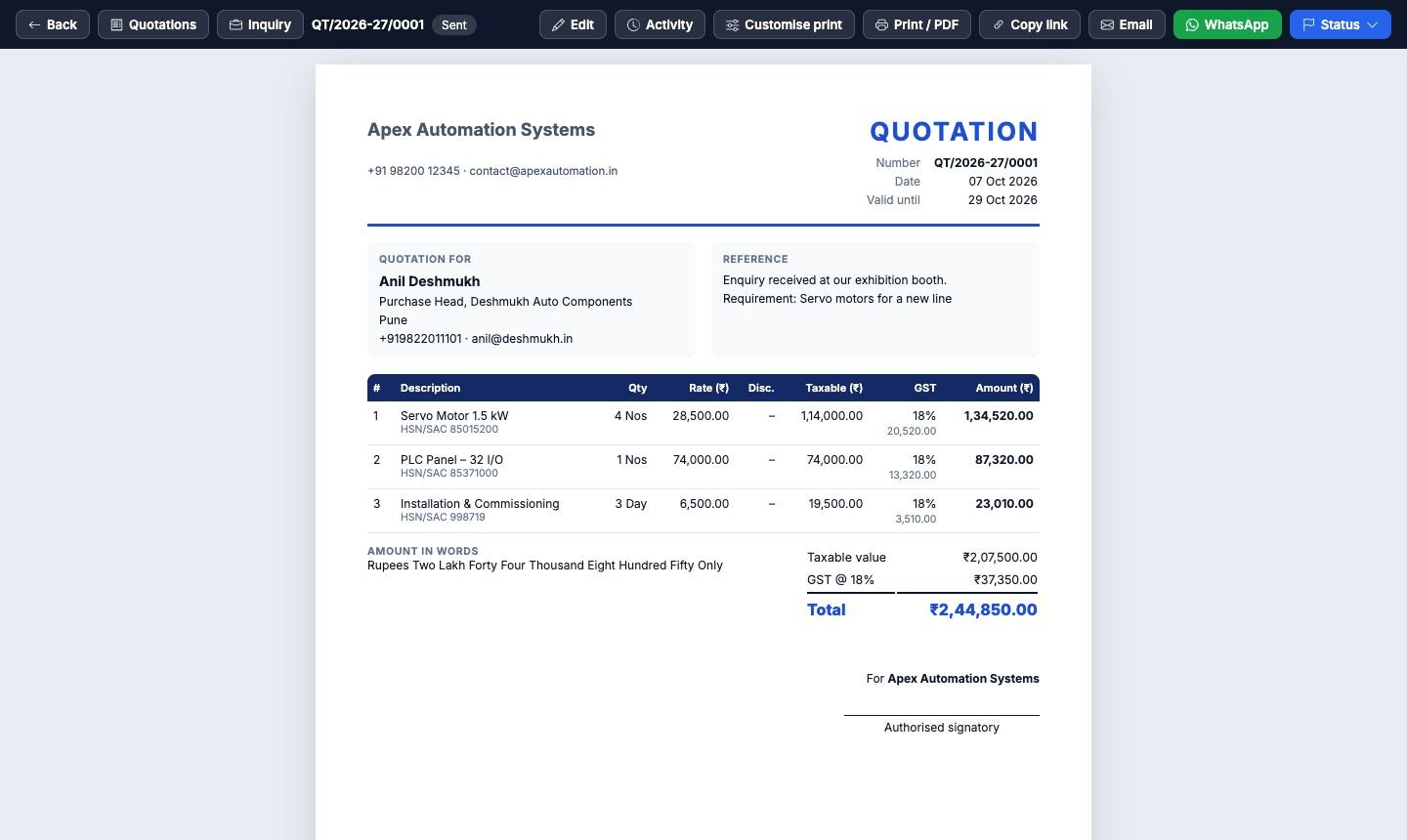
Quotations made in a spreadsheet after the show take days and get lost in email. In GoQRM a quotation is made from the inquiry itself, with your products, HSN / SAC codes and GST rates, and shared as a link the customer can open, accept or download on their phone.
Each document carries your GSTIN, PAN, CIN, Udyam and IEC, your bank details and a UPI QR for the amount, and is addressed to the customer's company with their GSTIN. CGST + SGST or IGST is worked out from the place of supply, and amounts are written in words the Indian way.
How it works
Quote from the inquiry
Pick products, set discounts and charges; GST and the total are calculated for you.
Order, proforma, invoice
Make the next document from the one before in one click – nothing is typed twice.
Get paid
Customers pay by UPI scan; record the payment and a numbered receipt is made. Export invoices to Tally.
What you get
UPI QR
A UPI QR for the amount due on quotations, orders and invoices.
Your legal details
GSTIN, PAN, CIN, Udyam, IEC and bank details on every voucher.
Correct GST
CGST + SGST or IGST by place of supply, per line and in total.
Your print format
Logo, colours, letterhead, signature and stamp, saved as formats.
Share on WhatsApp
Send a link the customer can open and accept on their phone.
Tally export
Download invoices and customer ledgers as a Tally import file.
Questions and answers
Can I make a GST quotation for an exhibition lead?
Yes. Open the inquiry, start a quotation and add your products. GST, discounts and the total are calculated, and you can share it as a link or a PDF.
Does the invoice show a UPI QR code?
Yes. Add your UPI ID once; quotations, confirmed orders and unpaid invoices show a UPI QR for the amount.
Can I import the invoices into Tally?
Yes. Export a period of tax invoices as a Tally XML file with the sales, GST and customer ledgers balanced.
Do I need a GSTIN to use it?
No. Without a GSTIN the documents are made without GST; add it later in your company profile and GST appears on new documents.
More about GoQRM
Try it at your next exhibition
Free trial with every feature switched on – no card needed.
Start free trial